A doctor for smart homes and buildings

Your smart buildings deserve smart care.

The Care app: overview of sites
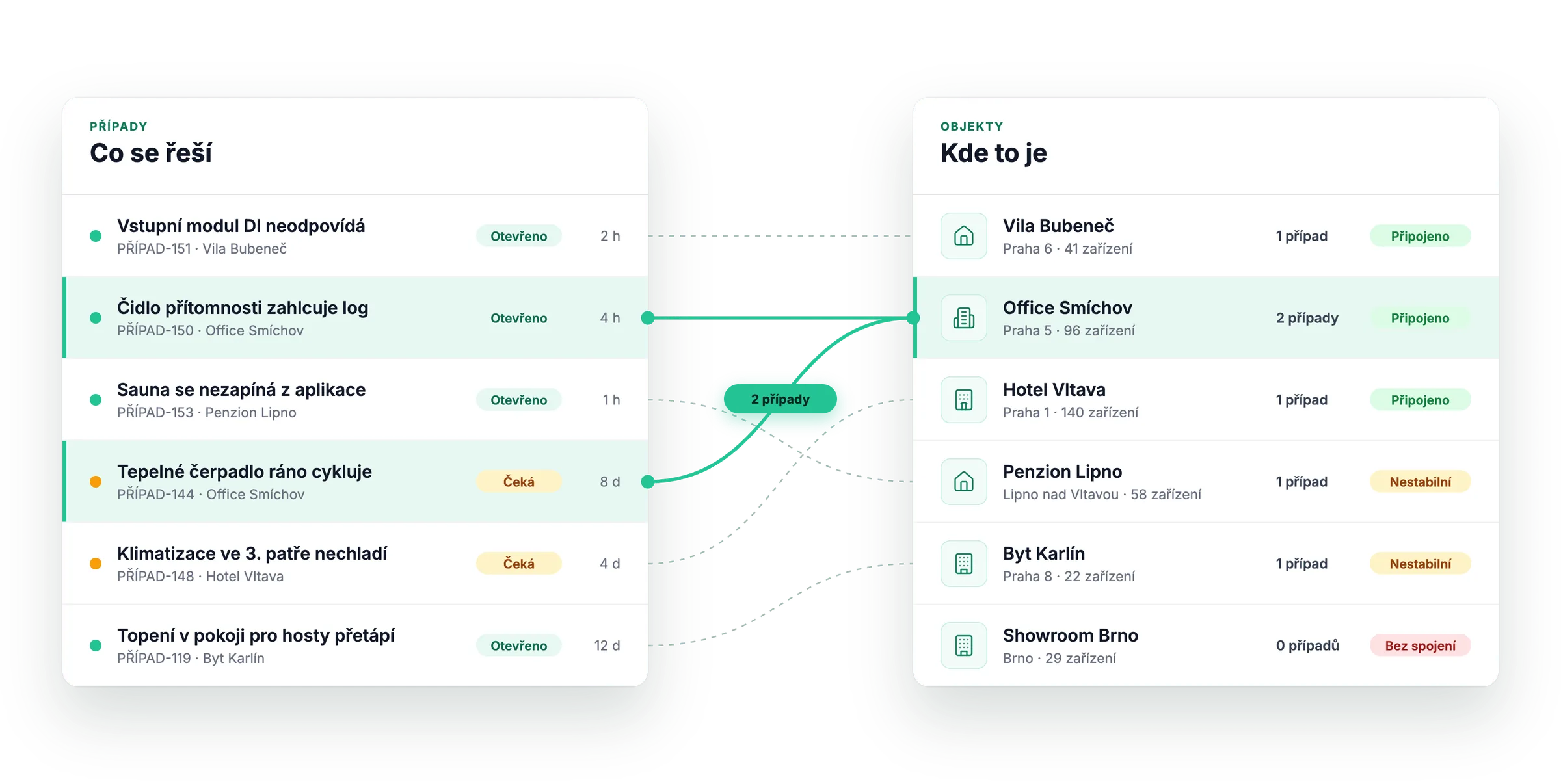
Cases

You know what is being handled.

See every case in one place, with its status, priority and assignee. You know right away where your team should start.

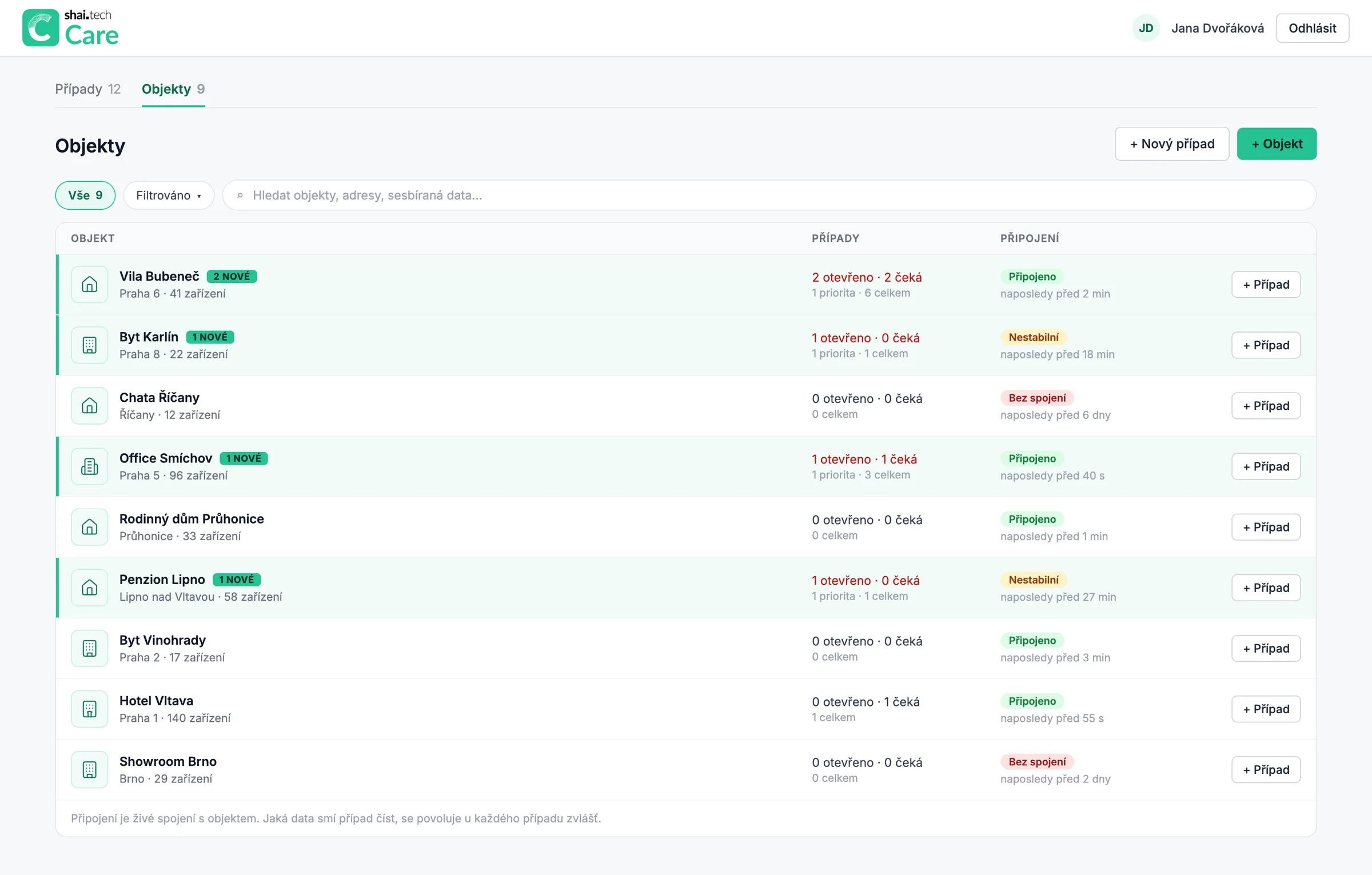
Sites

You know where something is happening.

See all your sites in one place, with their connection status, open cases and new activity. You know right away which buildings need attention.

Care: overview of cases and sites
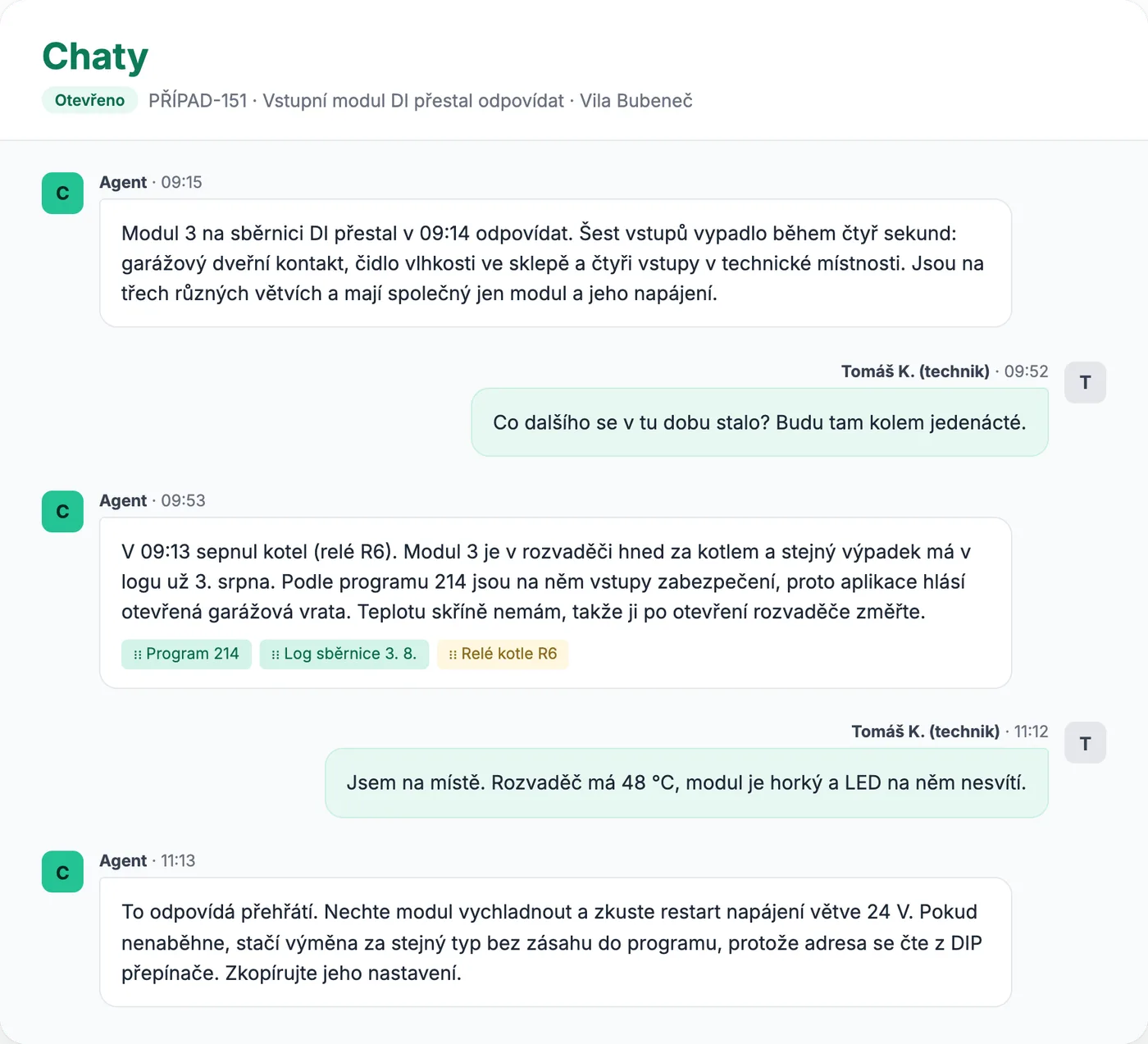
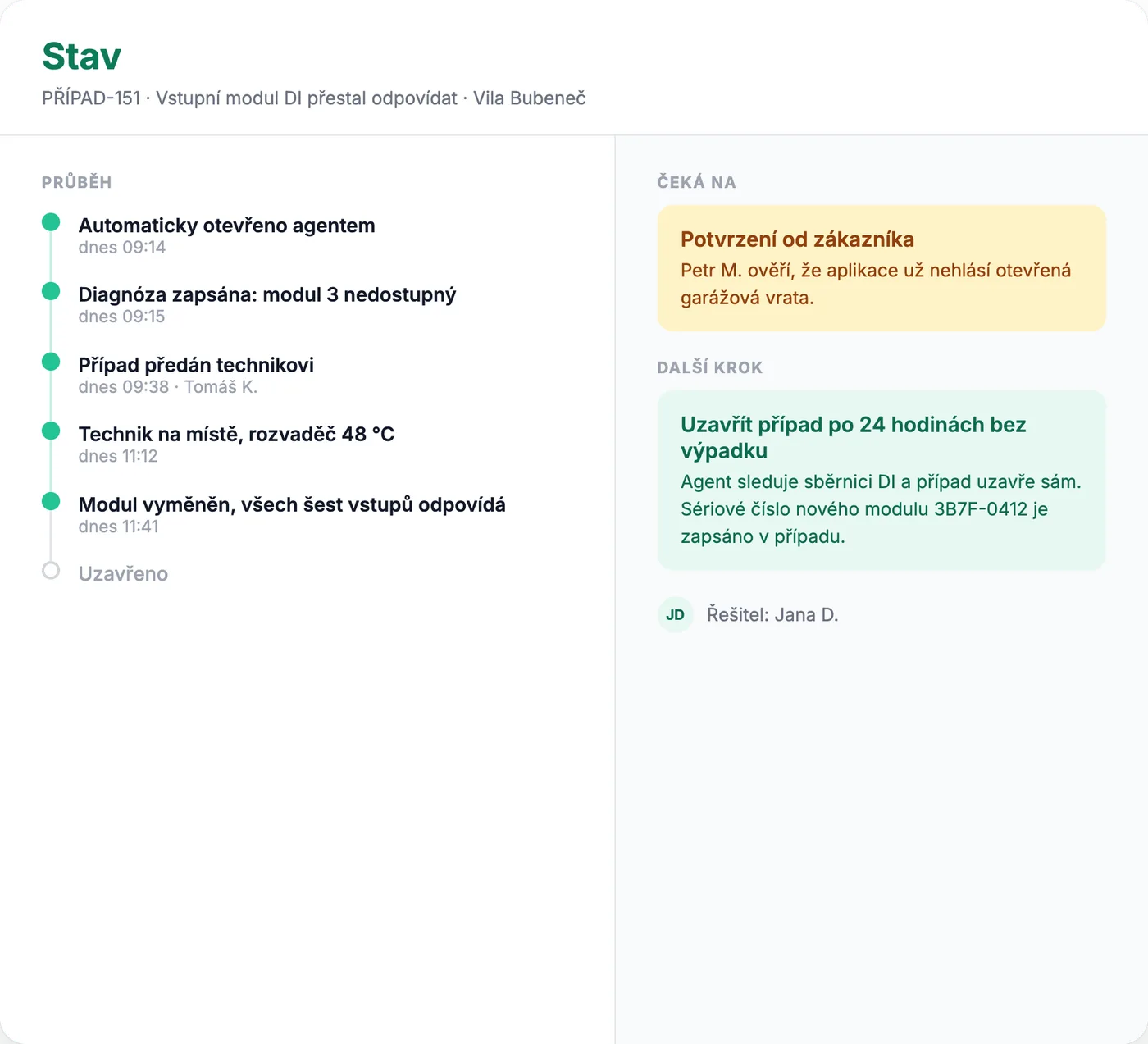
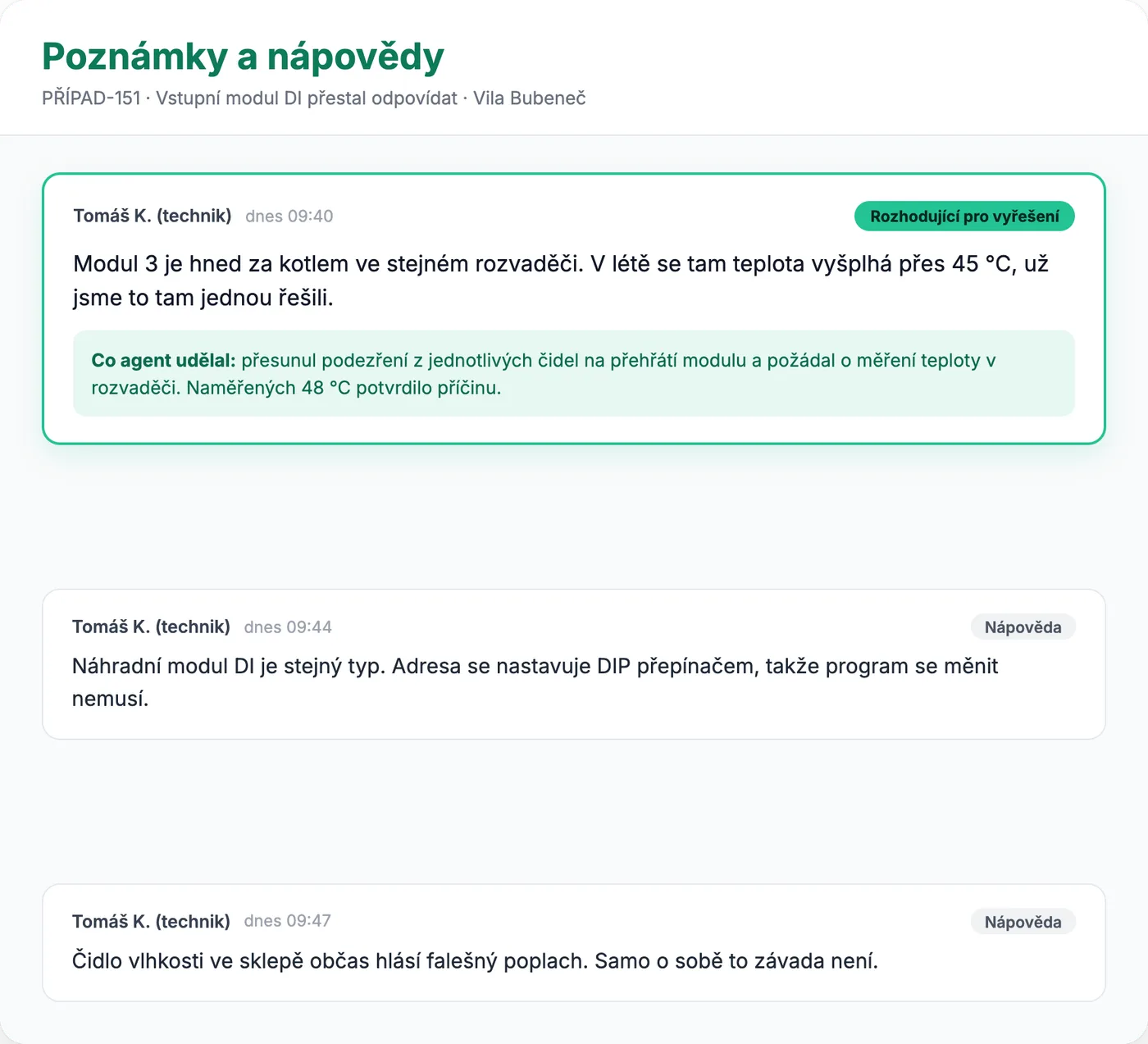
Case detail

From report to diagnosis in minutes, not days.

Care goes through the installation's data in moments. The technician adds their experience, decides on the next step and keeps track of the whole case.

1 / 4
A highly capable AI agent

A technician's experience. The speed of AI.

The technician brings field experience and knowledge of the installation. Care goes through the configuration, history and available data in moments. Together they reach a diagnosis faster.

A technician's experience. The speed of AI.

Fewer site visits. More cases solved.

Care helps pin down the cause. The technician chooses the best next step.

Fix it remotely

The technician approves and applies the fix without a site visit.

Guide the customer

The customer handles the necessary step at home, following your instructions.

Arrive prepared

The technician already knows what to check and what to bring.

How Care works

When you see how the whole installation fits together, you find the cause faster.

Care connects documentation, configuration, change history, live data and diagnostic records. The technician can verify what is really happening in the building and decide on the next step.

Knowledge Engine

Device documentation, earlier cases and proven service procedures in one place. The technician quickly finds out whether the team has handled a similar situation before and what helped then.

Example from an installation

The entrance keypad doesn't respond.

Care finds a similar case with the same combination of devices and recommends what to check first.

Config Timeline

Care compares program versions and shows what changed in the installation. The technician can trace whether the problem appeared after a specific change.

Example from an installation

A button stopped switching on an LED strip.

Comparing configurations shows that the last upload removed the link between the button and the lighting circuit.

Behavior Graph

Care knows how rooms, devices and rules relate to each other. The technician sees how the parts are connected, even when the cause shows up somewhere other than the symptom.

Example from an installation

The garage light won't switch off.

Care follows the path from the sensor through the lighting scene to the switch-off condition and shows where to look.

Live Telemetry

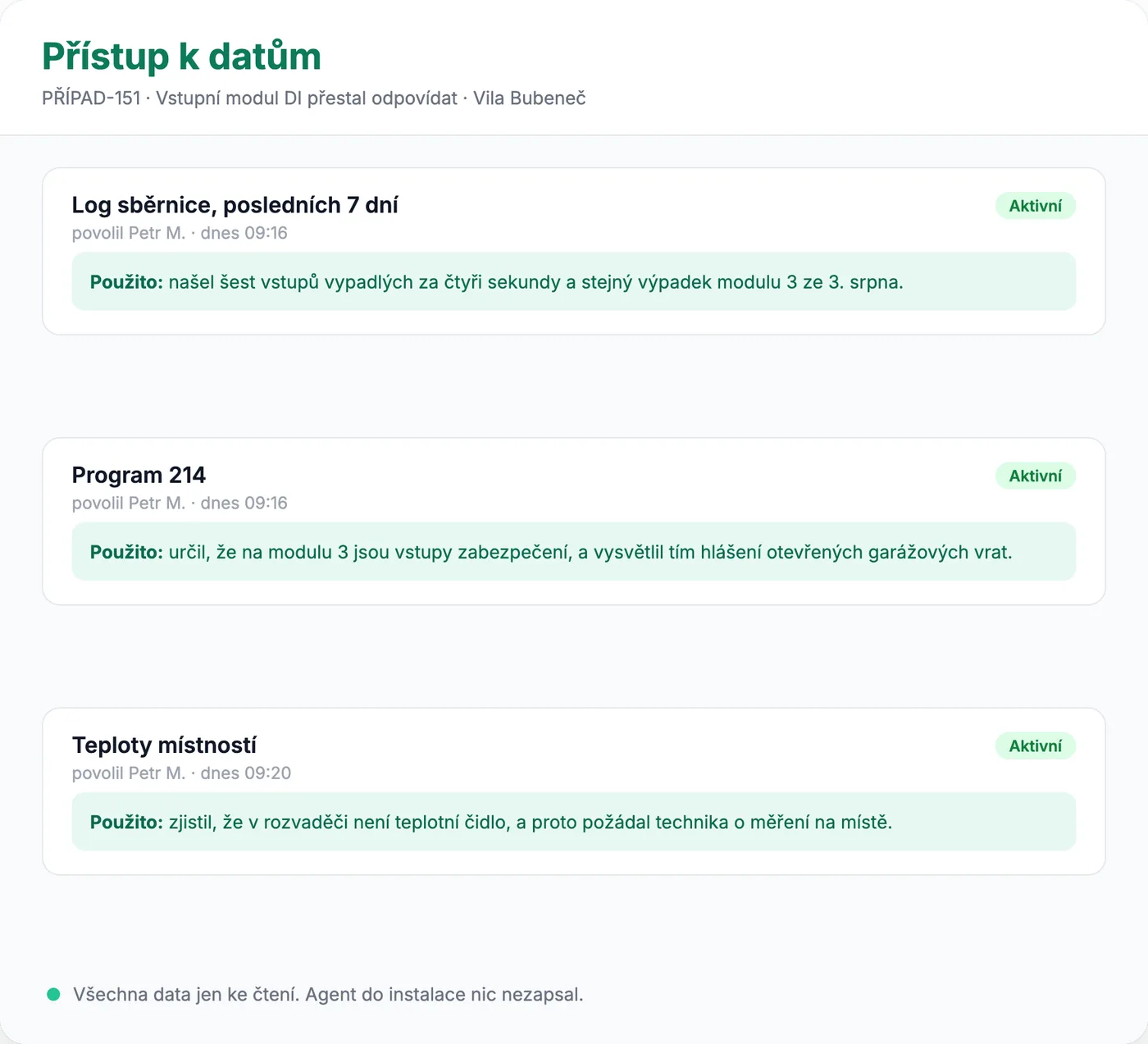
Care puts live values and events into the context of the program. The technician sees which conditions apply right now and what is blocking the expected behaviour.

Example from an installation

A room doesn't heat as set.

Care shows the target temperature and an active “window open” signal that is blocking the heating.

Debug Trace

Diagnostic records help trace the path from a symptom to its likely cause. The technician also sees events that the everyday building controls don't show.

Example from an installation

A device keeps shutting down.

Care finds restarts in the log before the outage and shows the technician what to measure on site.

Safe Replay

A proposed change can be verified against past events or in a simulation before it goes live. The technician approves the change and can follow the result afterwards.

Example from an installation

Blinds stay up after strong wind.

Care proposes a rule change, verifies it against earlier events and presents it to the technician for approval.

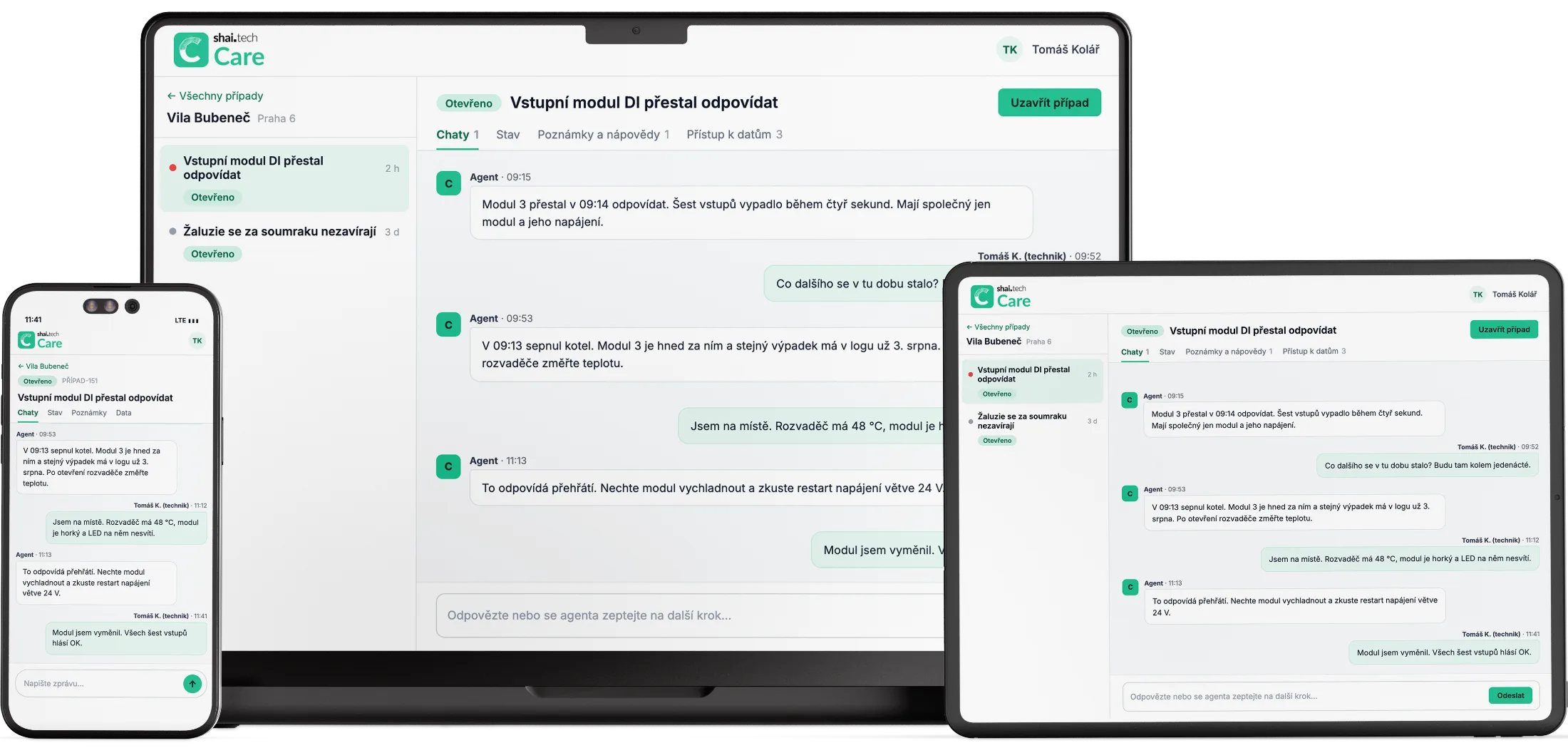
Care at hand. In the office and in the field.

Download on the App StoreGet it on Google Play
Care on a laptop, a tablet and a phone

AI guesses. Care knows.

General-purpose AI works from what you describe to it. Care works with the program of the specific building, live data, diagnostics and service history. The technician sees what the answer is based on and can decide on the next step.

Your brand stays visible

Care technology.
Under your name.

The app carries your logo and colours. Your customers recognise your brand, and your team gets Care's tools for looking after their buildings.

Beta for partners

Try Care on your installations.

Leave us your details and tell us a little about the buildings you manage. We'll get in touch, talk through your needs and agree how you can join the beta.

Once you send it, we'll get back to you and agree on the next steps.